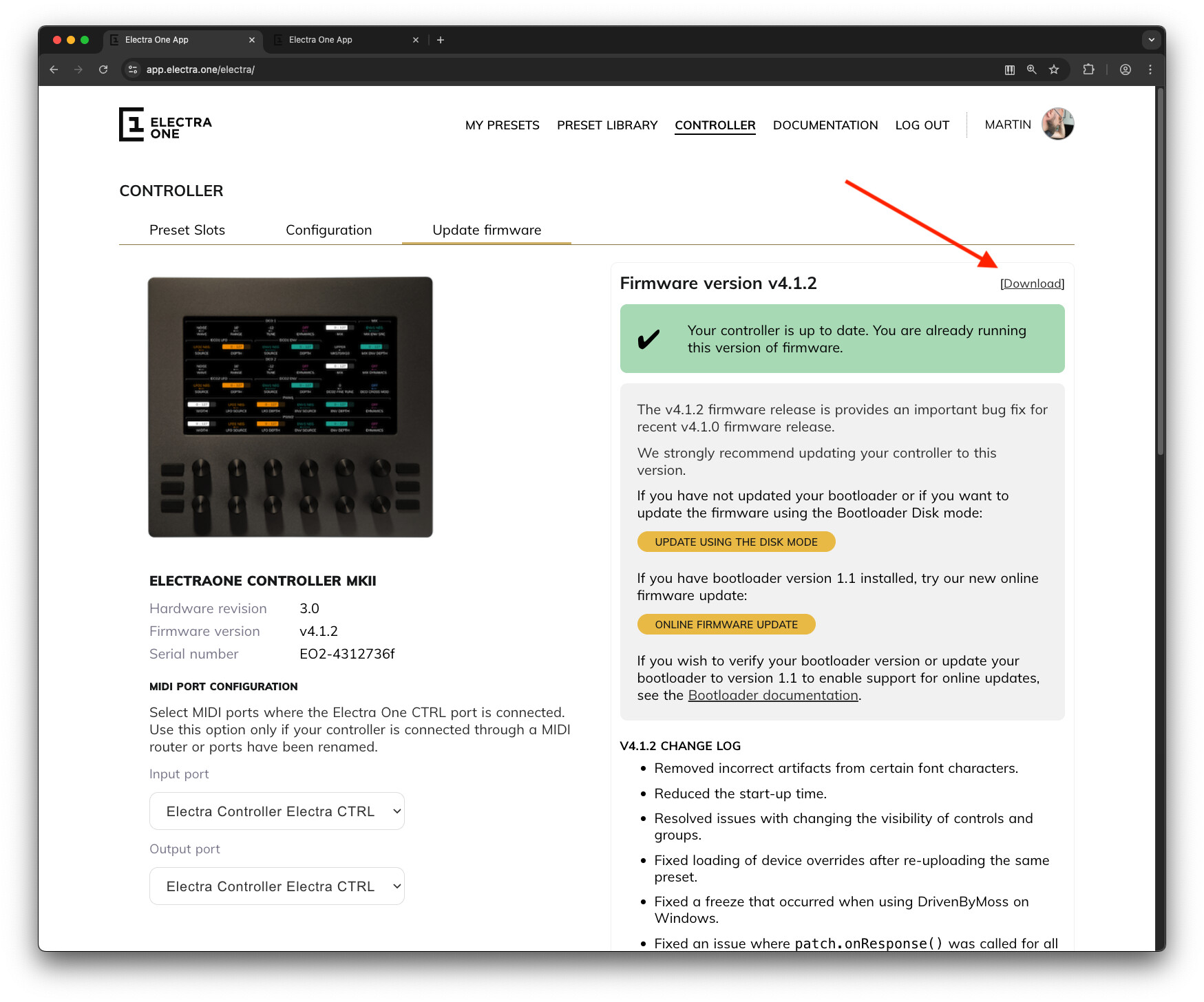
The app.electra.one web application now provides a direct link to download the firmware and instructions on how to update the controller. Two ways to update are provided:
using the Bootloader disk mode - proven and safe
using an online update - a single click update but still may have some quirks. A Bootloader version 1.1 is required for that. This version is installed on your controller if you purchased the controller with firmware 4.0.0 installed on it or if you updated the Bootloader manually by yourself in the past.
List of changes:
Version 4.1.2 is a release of several bug fixes and minor improvements:
Removed incorrect artifacts from certain font characters. @Mint-Gecko
Reduced the start-up time.
Resolved issues with changing the visibility of controls and groups @michaelhaefliger
Fixed loading of device overrides after re-uploading the same preset @NewIgnis
Prevented red stripe glitch when holding animated on-screen buttons. @Electrolove
Optimized low-level communication between the main and display boards to prevent random glitches and freezes and improve rendering performance. @attacksustain
Report and remove bytes > 0x7F from when sending sysex with Lua midi.sendSysex() function. @Hardingmal
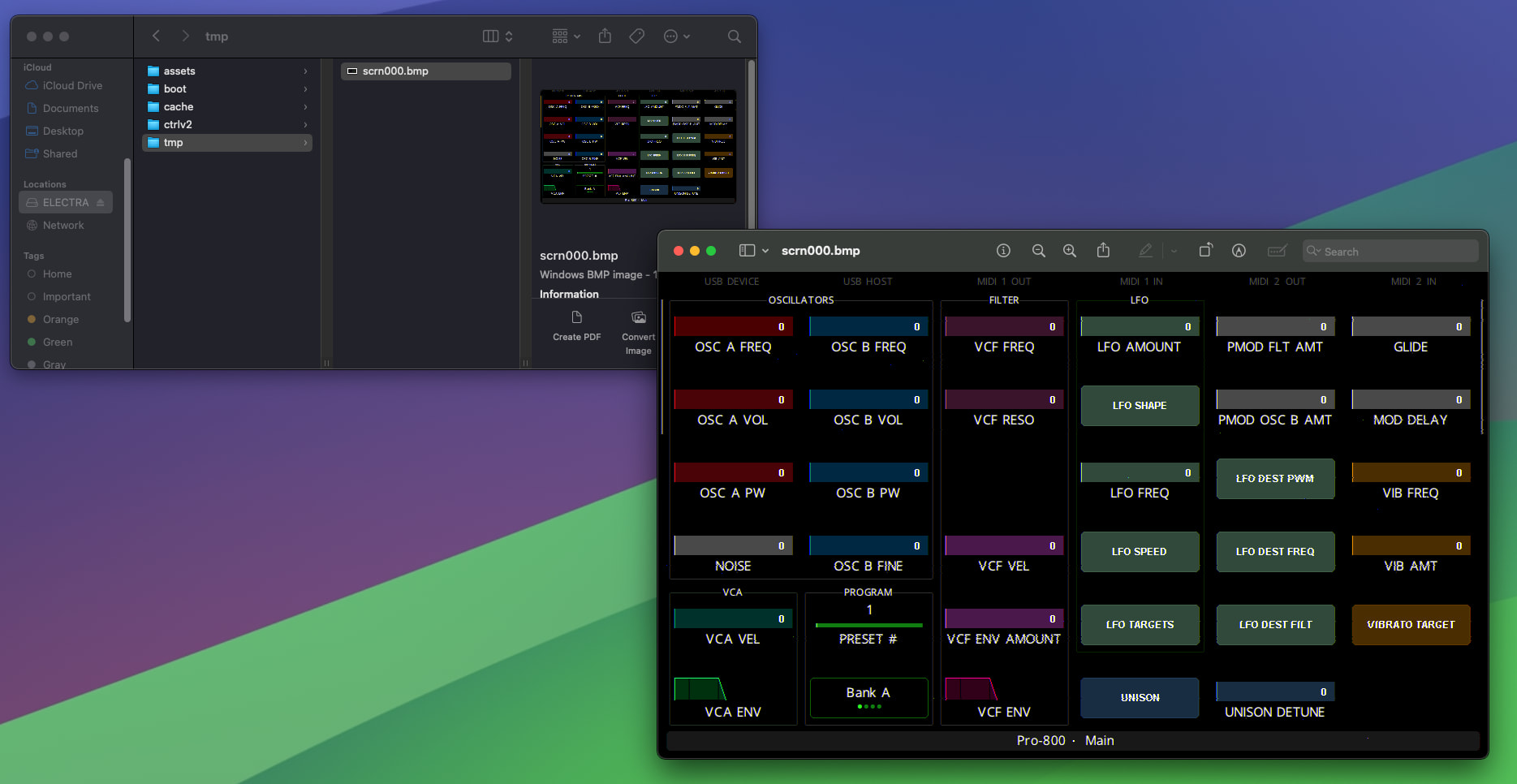
Added an option to take a screenshot of the controller’s screen.
Fixed an issue with concurrent onPotTouchChange() calls @Abbes
Thank you to everyone who helped with the testing. Special thanks to @davidpower for his professional and thorough approach. It really helped!
Could be user error, but even after clearing my browser cache it only shows firmware-v4.1.1.srec as the firmware file to download if updating the old fashioned way.
But E1 appears to be crashing before it calls this lua function in my preset code .. the first log statement is not printed out in the log.
function changeE1Module(moduleName, moduleY, moduleX, maxId)
  log("changeE1Module " .. moduleName)
  windowStopCountdown = START_WINDOW_STOP_COUNTDOWN
  window.stop() -- resumed in the endChangeE1Module function call
  resetControls(true)
  changePageModuleLabels(moduleName)
  if (moduleY ~= 0 and moduleX ~= 0) then
    -- not changing to a rack mapping
    info.setText(findModuleGridRowColPositions(moduleY, moduleX))
  end
  maxControllerId = maxId;
end
I tried three times after resetting, and the same thing happened each time.
It also possible that usage of the Sysex updateControl command is also intermittently failing, it might be a timing issue when a bunch of executeLua commands are being received at same time. Difficult to troubleshoot this with the issue of the executeLua / freeze issue above.
I’ll do a bit more troubleshooting see if I can pin it down further.
Select an audio device in the Audio2 module to activate the vcv patch
Set up the E1 MIDI channels in the OrestesOne module and the VCVRack 2 v2.1.5 preset on E1. The E1 preset should auto-connect to OrestesOne module after a few seconds.
On the E1, go to preset page 12 “Select Module” - you should see the rack modules shown on the select grid.
Select one of them
It will either immediately freeze the E1 unit, or show page 1 of the mapped controls for the selected rack module. If the latter, go back to page 12 and select another module from the grid, until it hangs.
The controller needs around 3 secs to process, generate, and save the file. Successful completion is indicated with a short flash of the USB Device indicator in the status bar.
Screenshot files can be found in the /tmp directory on the SD card. If you create more screenshots, each file will have a sequential index number in its name.
Note, the /tmp directory is cleared upon controller start up. That means, you should switch to the bootloader and enable disk mode right after you are done with your screenshot taking. if you leave the controller to fully reboot to the normal mode, the files will be gone. This is done on purpose, the feature is meant just for the troubleshooting and to save my time when working on the documentation
I am having an issue where the routing page doesn’t show any midi log options. I can click on the green routing squares and I can choose all channels but those are the only options on the routings page. I know I was previously able to check the status of midi messages. Any suggestions or did the message logging feature get moved to another page.
I must admit I was extremely unhappy with the initial version of the Midi monitor and hid it in the 4.1.2. I want to replace it with a full screen Midi monitor.
I’ve just been testing the a Blofeld beta preset with the new Firmware. I’m slowly adjusting that persen to new functionality introduced in the last 3 years.
But I hit a wall now: the preset is no longer reacting to patch parsing. Not sure that happen in 4.1.0 already , but it certainly happens now.
the preset is still able to control the synth
tweaking midi CC on the synth is resulting in CC value changes in the preset
the preset still request the memory buffer of the Blofeld being dumped
the Blofeld responds with the patch dump
If I put the editor in ‘Patch’ and engage MidiLearn, the control settings are being updated as expected.
so far so good, but if I then disable MidiLearn, the patch parsing does not happen .
Here’s the dump request and a dump
F0 3E 13 00 00 7F 00 F7